


Lesson 1 of 0
In Progress
Step 3: Choose Your First Challenge
A “Challenge” is a guitar lesson. Let’s get you started by choosing your first Challenge!
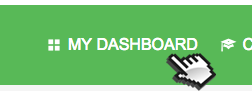
IMPORTANT: Once you choose your first Challenge, click the “Dashboard” link in the green navigation bar above. This will allow you to return and finish this Quick Start Challenge.
[divider style=”6″]
Step 1: Click on “Challenges” in the green navigation above.
Step 2: Preview songs until you’ve found a Challenge to start out with.
Once you click “Take This Challenge” on the Challenge page, you will be able to click on the first section and begin!

Responses
×
Come back tomorrow for your next challenge
Chris and Robert,
Thanks for the heads up. We are hard at work creating a Beginner’s Program for TAC, and also categorizing all of the current Challenges as well. Stay tuned, we’ll be making those changes as soon as we can! For now, maybe ask around on the forums and see what people think are the easiest to start with and so on.
I agree with Robert, and I know you guys are working on more beginner focused content already. I think it would also help to break up the videos by style – finger picking, flat picking at least. As I think I can handle all of these with the flat pick, and probably none of the finger picking ones yet 😀 Give me a few weeks. I would like to see what each were in terms of difficulty or style or both before previewing them. Not a huge need as the preview takes care of these pretty much. Just a suggestion for down the road.
It would be helpful if the challenges were arranged according to player level, i.e.: beginner to advanced.